Get ContactHoney on your phone or desktop
The mobile app is in early release. Install it directly — no Google Play account, no waiting for a store review.
Android
Version 1.1.5 · Android 7.0 or newer
Signed with our developer certificate. The app checks for updates each time you open it.
Download for Android- Tap Download for Android.
- When prompted, allow installs from your browser.
- Open the downloaded file and tap Install.
Scan from your phone
On a desktop? Point your phone camera at the code to start the download.
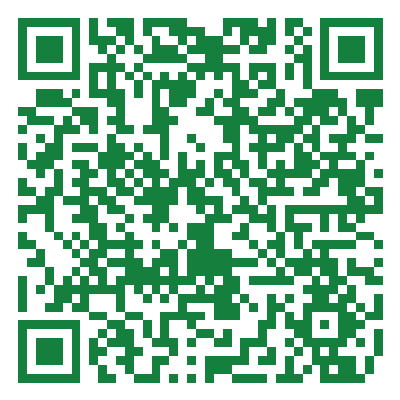
https://app.contacthoney.com/downloads/latest.apk
iPhone & iPad
Coming soon to the App Store — the iOS app is approved and we're in the final distribution stage. If you'd like early access via TestFlight in the meantime, send us a note with the email tied to your Apple ID.
Request a TestFlight inviteWindows
ContactHoney is also available as a native Windows app — the same account and cloud data, in its own window instead of a browser tab, with automatic updates. We're finishing up the public rollout; if you'd like early access in the meantime, let us know.
Request early accessA few things to know
Why isn't it on Google Play yet?+
ContactHoney is in early release. Google Play requires a closed testing program with a minimum number of opted-in testers running the app for two weeks before a new app can be listed publicly. While we work toward that, direct install is the fastest way to get the app on your phone.
Is it safe to install this way?+
Yes. The APK is signed with our developer certificate (the same key we use for the upcoming Play Store build) and served over HTTPS from app.contacthoney.com. Android will show our certificate fingerprint when you install. You can verify it matches the one below.
SHA-256 E2:FA:96:1A:0D:C5:2D:62:61:E5:80:98:BC:B9:08:3E:9A:6A:FB:FB:EE:06:A8:D3:05:79:CD:7D:EB:C2:DF:C1
What happens when ContactHoney is on the Play Store?+
Once we're live on Play, you can install the store version for automatic updates. Because Google re-signs apps with its own key, you'll need to uninstall this sideloaded copy first — your data is stored in the cloud, so nothing is lost.
How do updates work?+
Every time you open the app, it checks this site for a newer version. When one is available you'll see a banner with a one-tap update button. No Play Store, no waiting.